
How to assign a person into a department and access right?
- Happy Marine VIMIGO
- Jun 24, 2024
- 1 min read
Download File:
Guideline:
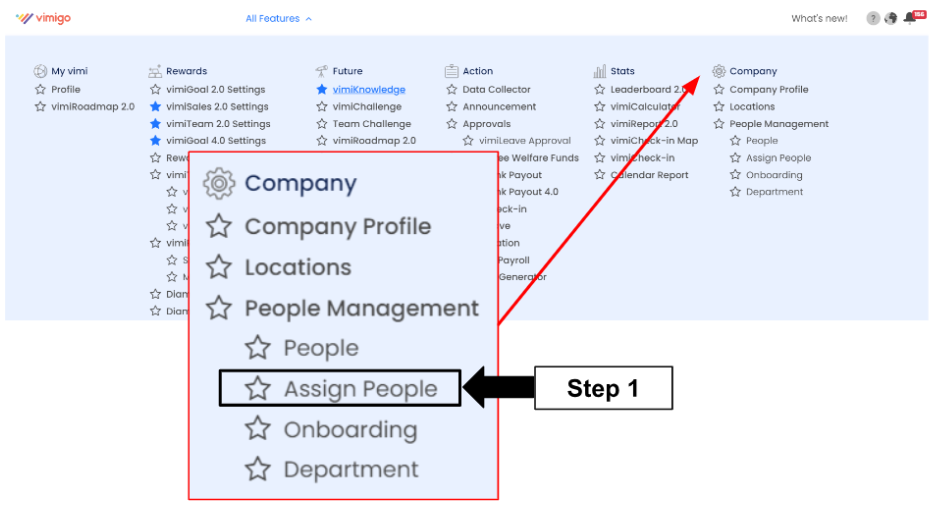
Step 1: Head over to All Features Tab at the top of the website 🡪 Under Company list, click Assign People.
Step 2: Assign selected people to selected departments and selected access rights.

Names in Blue: You have not assigned the department and access right to the people yet.
Names in Orange: You have either assigned department or access right only.
Step 3: Click Assign.

Step 4: Scroll down to Departments.

Step 5: Drag and drop to move people to a different department (Optional)
e.g. Move Ang Wan Ting from Customer Service department to Management department.

Step 6: Continue scroll down to Access Right.

Step 7: Drag and drop to move people to a different access right (Optional)
e.g. Move Ang Chen Earn from manager access right to Human Resource or Administrator access right


Comments