
How to Create My Company Rewards?
- Happy Marine VIMIGO
- Jun 19, 2024
- 1 min read
Updated: Jun 20, 2024
Download File:
Guideline:
Step 1: Head over to All Features Tab at the top of the website 🡪 Under Rewards list, click on My Company Rewards

Step 2: vimiReward page → Click Create New Reward

Step 3: Create New Rewards → Give your New Rewards a Business Name and
Reward Title.

Step 4: Remember to Upload Thumbnail Image & Reward Banner Image.

Step 5: Key in your Start Date, End Date, Discounted Price and Original Price.

Step 6: Choose your correct Category.

Step 7: Key in Quantity, Visibility (Private or Public), Highlight as well as Location.

Step 8: Fill in Description of your reward in any format.

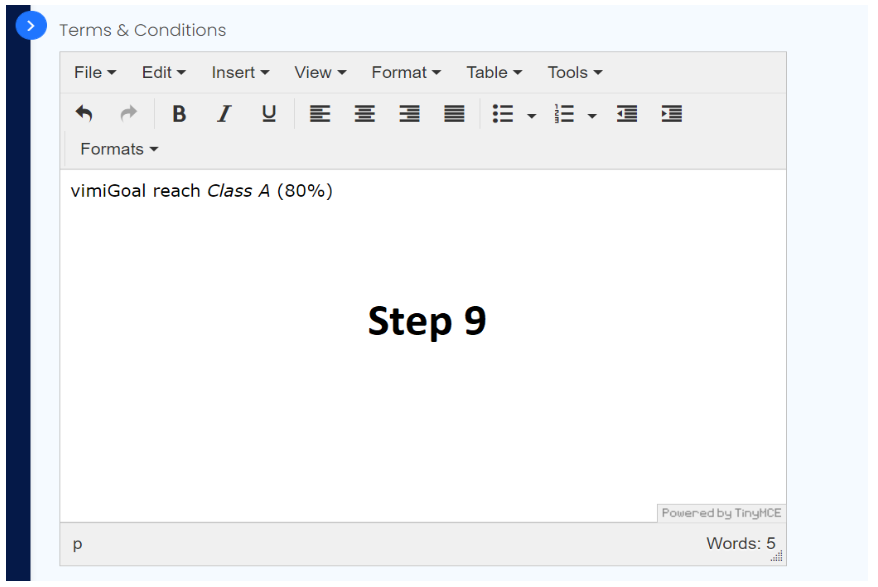
Step 9: Fill in Terms & Conditions of your reward in any format.
Step 10: Click Publish once everything is done or Save as Draft to have further adjust and a pop out message shows that Reward Published Successfully if you click
Publish.

Step 11: A newly created Company Reward will be shown and you may Choose the employees you want to reward, change the status to either Private or Public, action like View or Edit.




Comments