
How to edit vimiGoal 2.0 template?
- Happy Marine VIMIGO
- Jun 19, 2024
- 1 min read
Updated: Jun 20, 2024
Download File:
Guideline:
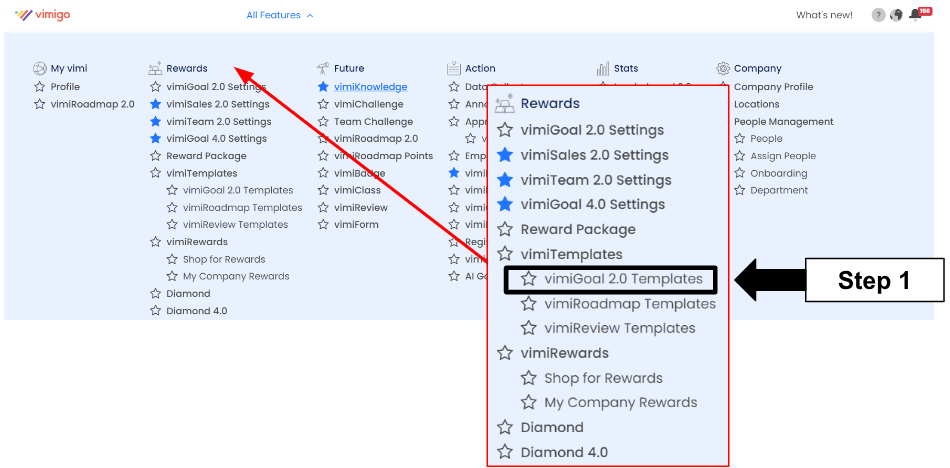
Step 1: Head over to All Feature Tab at the top of the website 🡪 Under Rewards list, click on vimiGoal 2.0 Templates.
Step 2: vimiGoal 2.0 Template 🡪 Edit

Step 3: Start to edit the vimiGoal, Description, Points, Scoring and arrange it accordingly.

Step 4: Give Some Rewards! 🡪 Start to change, add or remove the Rewards and Completion Rate Required.

Step 5: Click on Save Template after everything is done editing.

Step 6: Lastly, a message stated ‘Successfully updated vimiGoal Template’ will appear on the upper right side.



Comments