
How to make payout?
- Happy Marine VIMIGO
- Jun 26, 2024
- 1 min read
Download File:
Guideline:
Step 1: Head over to All Features Tab at the top of the website 🡪 Under Action list, click on Employee Welfare Funds.

Step 2: Click on Payout.

Step 3: Click Create New Request.

Step 4: Click Search Employee and select your preferred employee to payout.

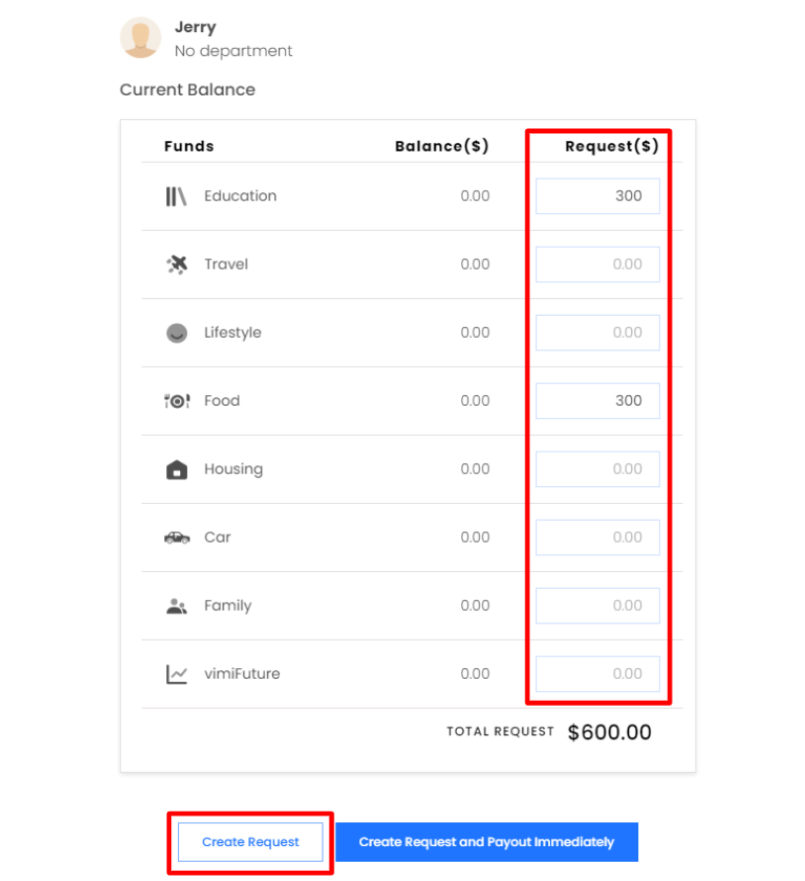
Step 5: Select your preferred funds and Type your preferred amount request for the selected funds. Click Create Request.
Step 6: Click Approve and click Confirm Request.

Step 7: It will be showing a notification stated: Successfully release payout. You can check the status in History.


Comments